
Who it's for
B2B marketing teams at services companies, consultancies and agencies that today prospect by hand, write from their own mailbox and measure in a spreadsheet.
Automatic prospecting, with no effort: describe your ideal customer and an agent finds the companies, reads their sites, works out who to write to and leaves the first email ready for you. You confirm with one click; the follow-ups go out on their own. Everything lands as a lead in the CRM, where sales takes over.
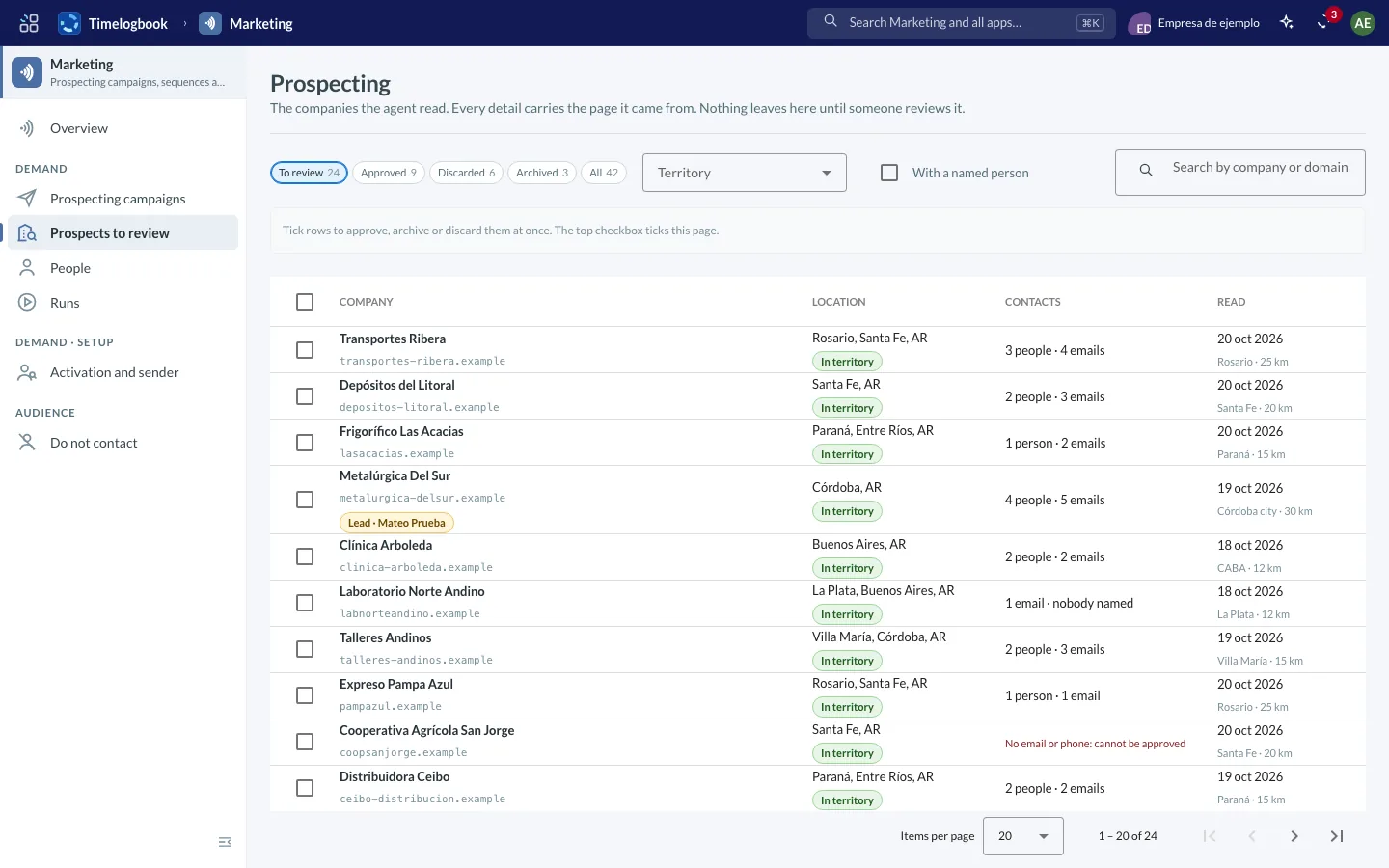
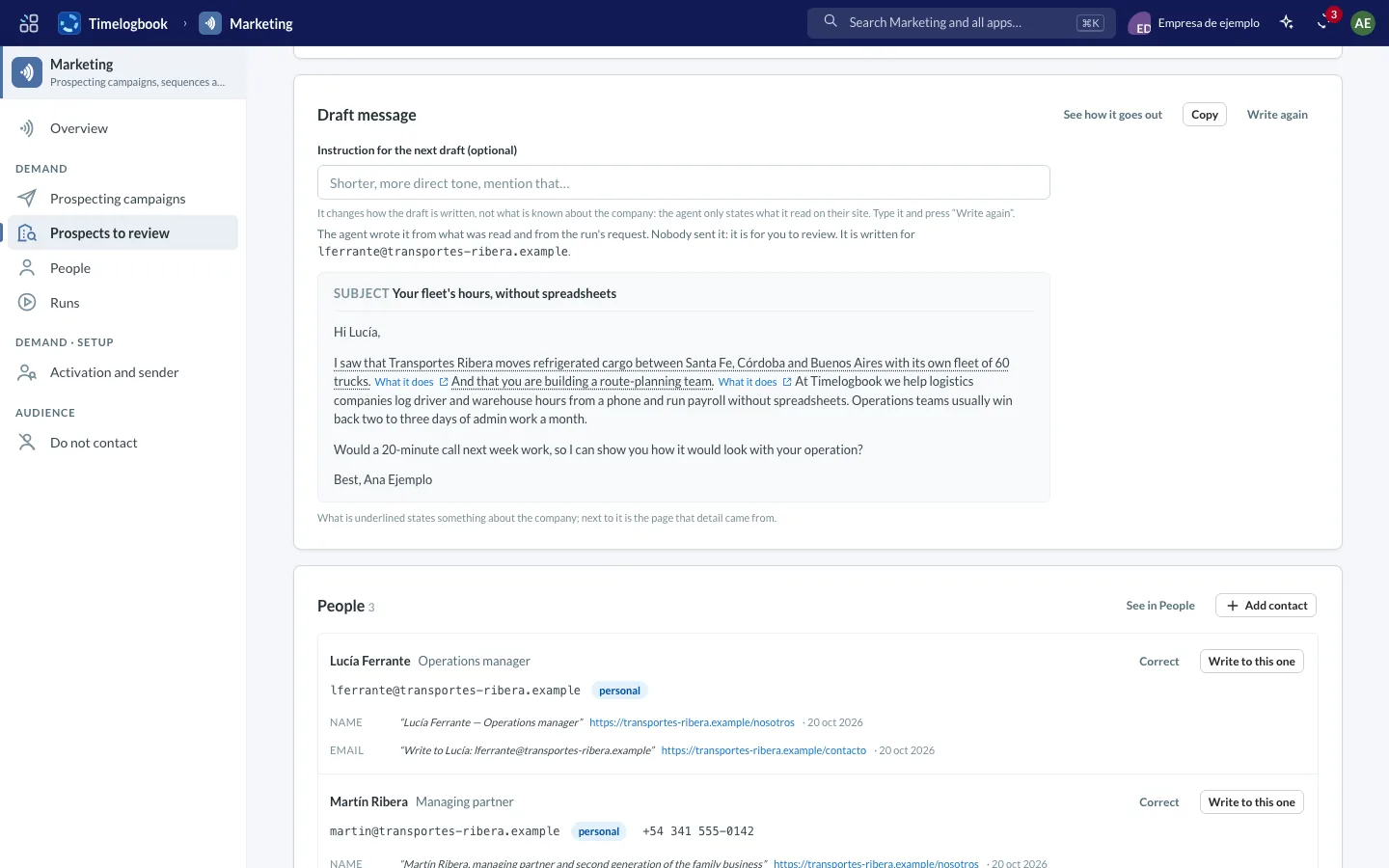
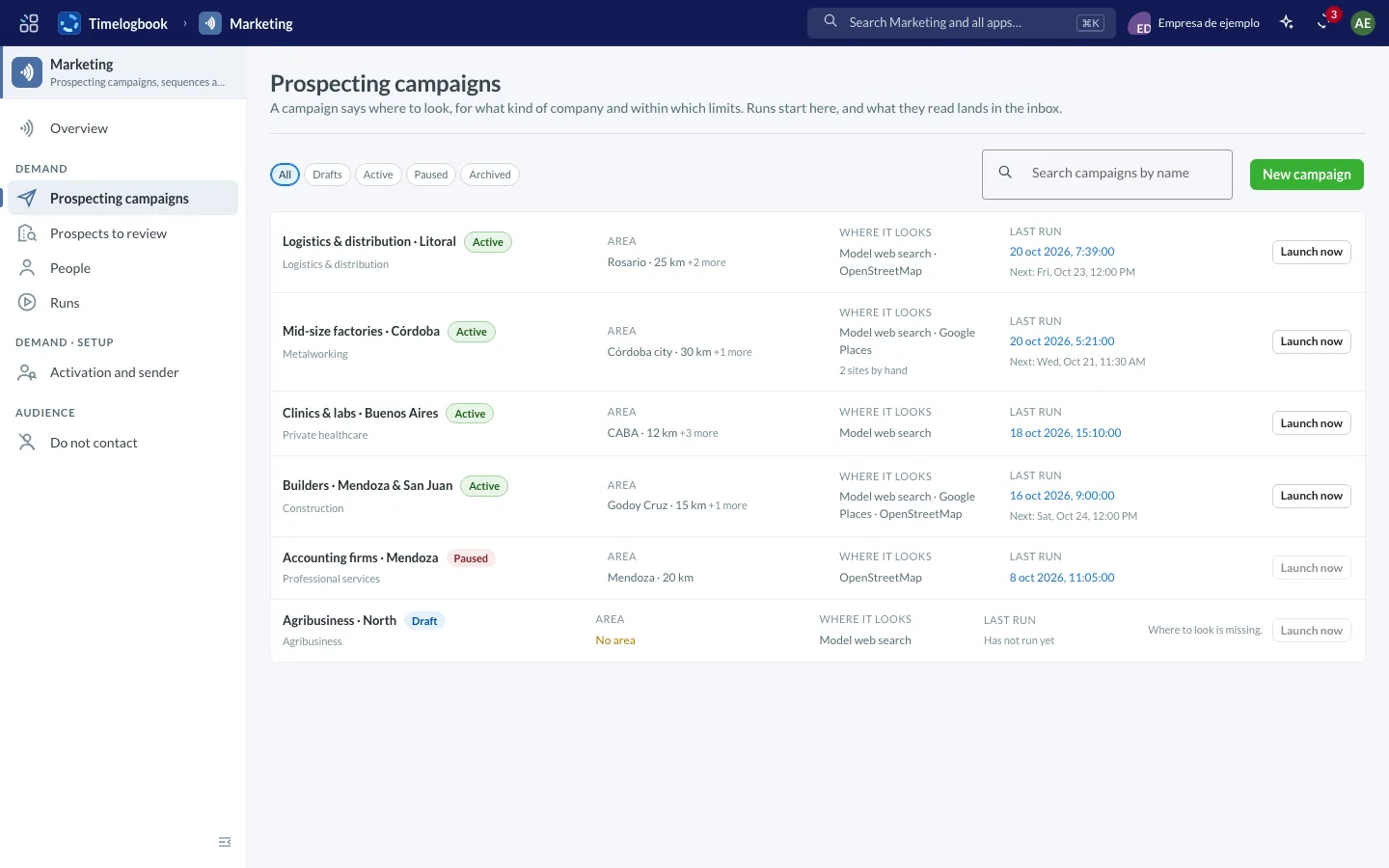
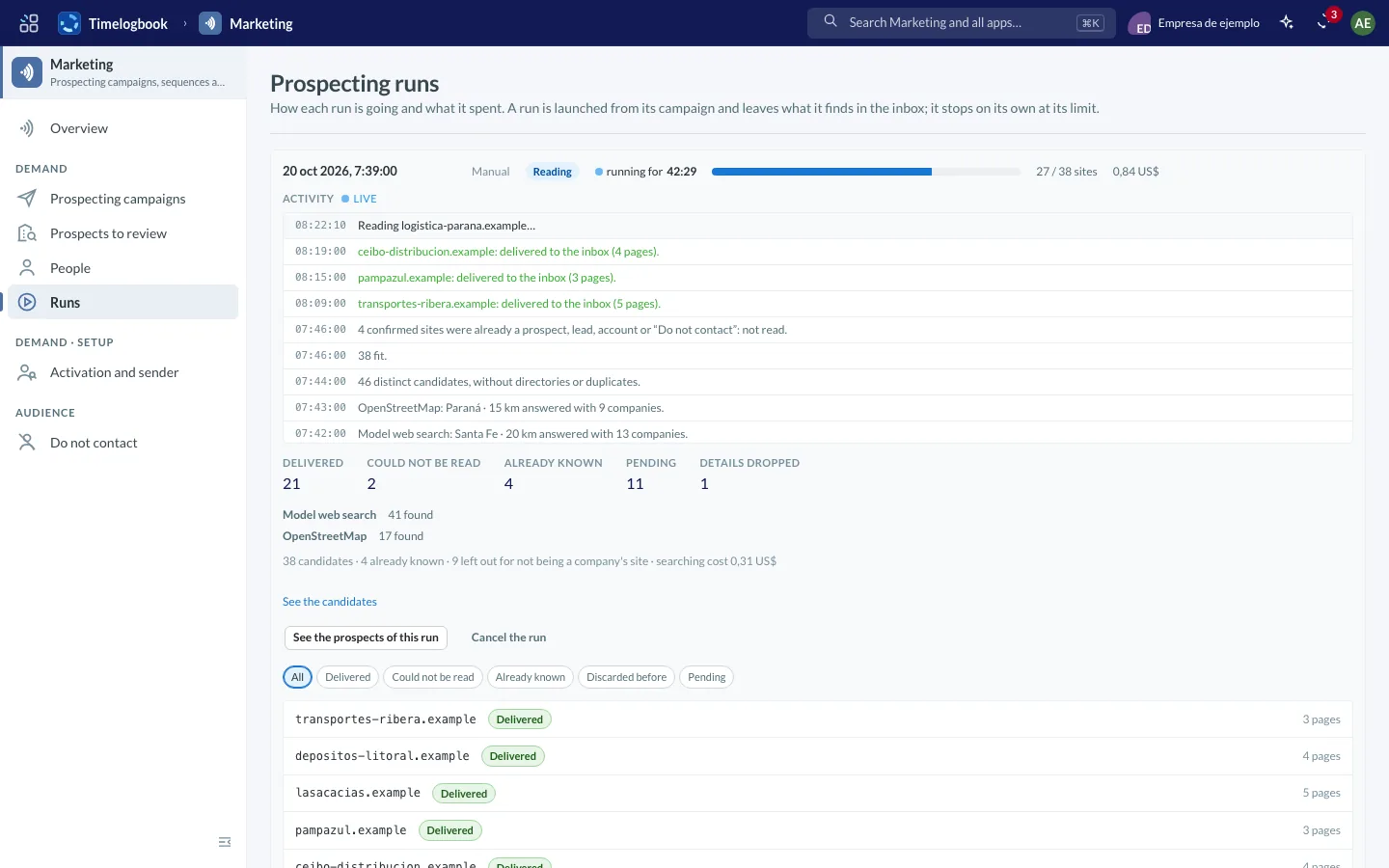
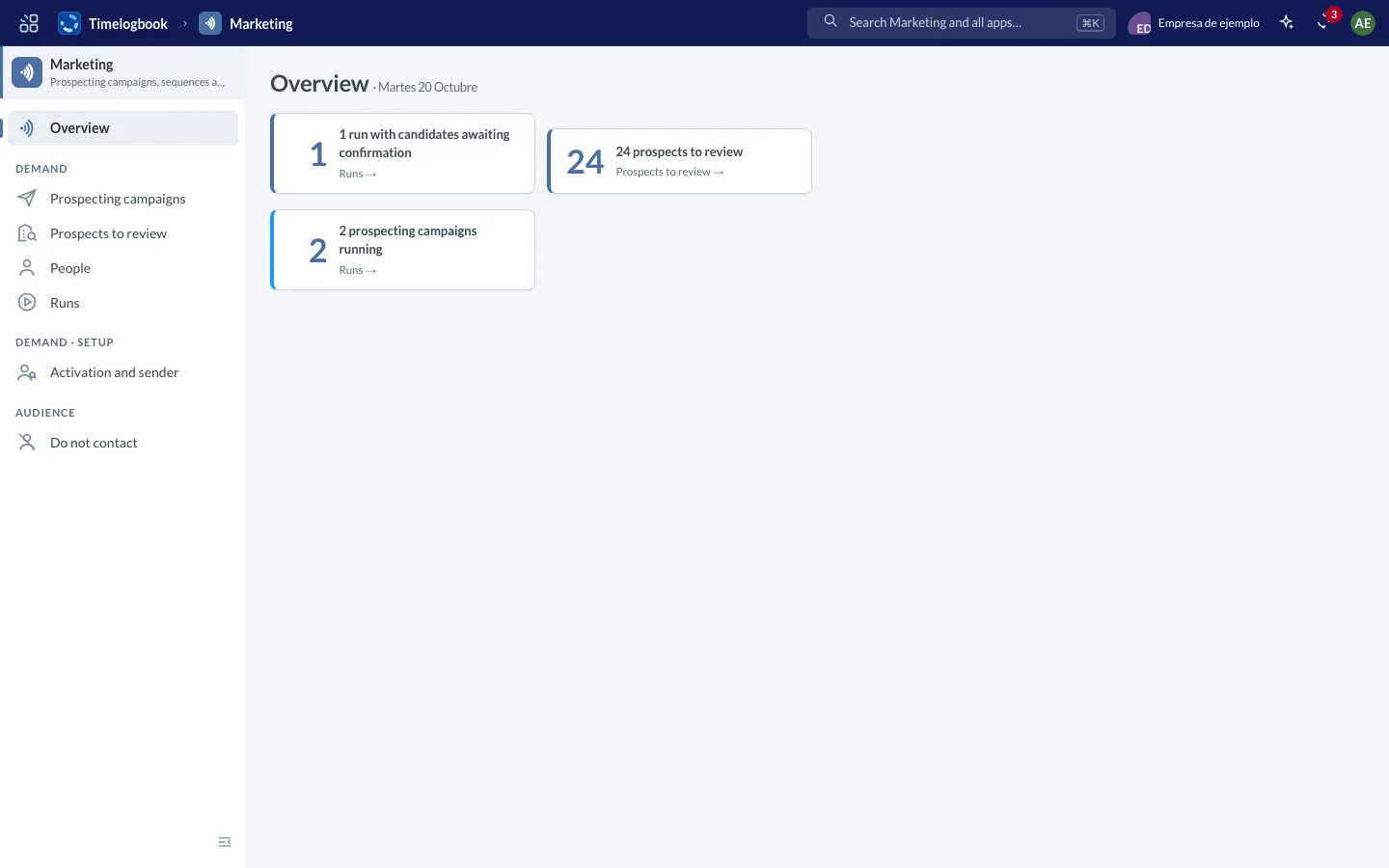
Screenshots of the app with sample data.
Measured in real runs in October 2026 with the company's AI key; cost depends on the model and the size of the site.
No lists to buy and no spreadsheets to maintain. Your part fits in a couple of clicks a day.
A country, a province, a city or an area drawn on the map, and what kind of company: industry, size, roles. It is saved as your ideal customer and reused.
It queries search engines, Google Places and OpenStreetMap, proposes candidates with the reason, reads each company's site, finds people and emails citing where each piece of data came from, and drafts the first message based only on what it read.
You review the inbox sorted by score, approve with one click and the email goes out from your mailbox. The next follow-ups go out on their own and stop when they reply.
From companies found to qualified leads and opportunities, with the cost per lead and which search, sequence or campaign brought each win.
One fixed rule: the first email to a person is always approved by someone. The automatic part is what follows.
Every sentence about the company rests on something read on its site, with the page next to it. Whatever has no support is removed. You read, change what you like and send.
Subject: Crew hours without spreadsheets — North Builders
Hi Dana,
I saw that North Builders does residential and commercial work in Calgary with its own crews. theirs · northbuilders.ca/about
Do field hours reach billing late or incomplete? hypothesis · can be removed
Timelogbook logs hours from the phone and leaves them ready to approve and invoice by project. ours · timelogbook.com/en/my-work
Would you have 20 minutes next week to see it with one of your own cases?
Timelogbook was born as the ERP for IT services companies. Marketing is the second vertical on the same platform: a product for the teams that generate demand, sold on its own, sharing with Timelogbook the CRM, people management, billing and the company console. What Marketing finds lands as a lead in the CRM; what the CRM turns into a client comes back to Marketing as a signal.
 MarketingProspecting, ideal profile, sequences, email campaigns, reports
 CRMLeads, accounts, opportunities and follow-ups
 PeopleTeam, employee cards, time off
 BillingYour clients' invoices and payments
 ConsoleCompany, access, integrations
The Marketing edition does not include Projects or Tasks. If your company also uses Timelogbook, Marketing is one more app in the switcher.
B2B marketing teams at services companies, consultancies and agencies that today prospect by hand, write from their own mailbox and measure in a spreadsheet.
A marketer opens Overview and sees what is on them: candidates waiting for confirmation, prospects to review, emails to send, replies. The first email to anyone is always approved by a person.
Microsoft 365 so sequences go out from your mailbox, your own sending account (Amazon SES) and your domain for email campaigns, and your AI key. Sending and AI are paid at cost, to your provider.
Every address records its legal basis and where it came from; unsubscribes and complaints go to a do-not-contact list; an erasure request is honoured across the whole system. If you leave, you take your legal bases and your do-not-contact list with you, and your domain is released.
Define where to look (country, province, city or an area on the map) and what kind of company. An agent queries public sources, proposes candidates and, once you confirm, reads each company's site and extracts people and contacts, citing where every piece of data came from.
Describe your ideal customer once: industry, size, territory, roles. Every company and every lead gets a score with its reasons in plain sight, so you review the best fits first.
A list of steps with waits between them: emails and actions. The first email to a person is always confirmed by someone; the next ones can go out on their own, and they stop when the person replies or unsubscribes.
Bulk sends to a segment, from your own domain and your own sending account, with A/B tests, one-click unsubscribe and opens and clicks measured.
Every address records on what basis it may be written to and where it came from. Unsubscribes, complaints and erasure requests go into a single do-not-contact list that applies everywhere.
By search, by sequence and by campaign: from companies found to qualified leads and opportunities, with the cost per lead. And which touches each won opportunity had.
Marketing works with CRM, People, Billing and Console as a Timelogbook edition for marketing teams, without Projects or Tasks.
Marketing has its own MCP server, so AI assistants can connect to this module and work with its data.
Status: prospecting is already in production inside the CRM; the Marketing app with sequences, email campaigns and reports arrives in stages during 2026.
No. Every address records on what basis it may be written to and where it came from; the first email is approved by a person; every message carries your legal name, your address and an unsubscribe link; and an unsubscribe, a complaint or an erasure request goes into a do-not-contact list that applies across the whole system.
No, and they cannot be imported. Companies come from public sources and contact details from each company's site, with the page cited.
The sequence stops on its own, the reply lands on the lead's page in the CRM and you get notified. If the person becomes a client, it stops too.
Searching and drafting use your own AI key, at cost: reading a site and writing its email is around USD 0.01. Emails go out from your Microsoft 365 mailbox; bulk campaigns, from your own sending account. Marketing is licensed as a Timelogbook edition.
Tell us what kind of company you sell to and in which city, and we'll show you what a real search finds: how many companies, how many fit and what the first email looks like.
We'll reply by email with the results and schedule a demo.